
Your GNOME desktop,
on your Mac.
Drift is a fast, native, open-source remote desktop client for Mac, iPhone and iPad that connects to GNOME Remote Desktop over RDP.
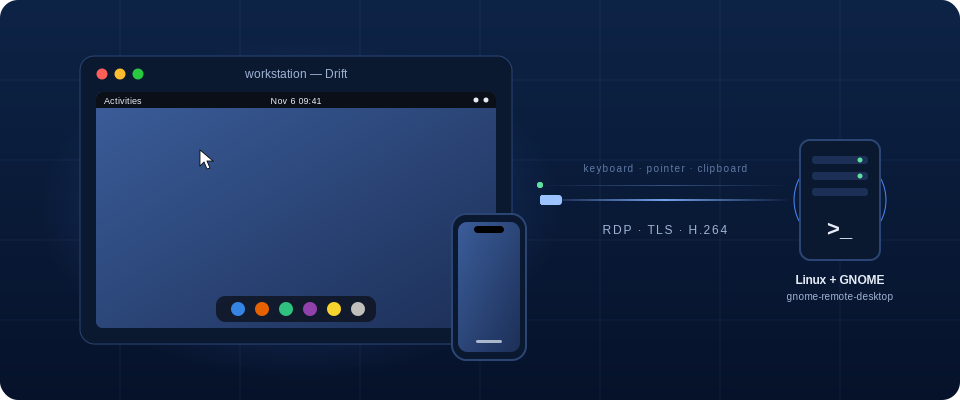
Built for GNOME. Native on Apple.
Rust from the wire to the pixels: a vendored IronRDP for the protocol, VideoToolbox for H.264 and Metal for compositing.
Both GNOME modes
Remote Login through the GDM greeter, or a persistent headless session that keeps running with nobody at the machine.
Hardware video
H.264 decoded by VideoToolbox straight into IOSurfaces, composited in Metal. CPU codecs as a fallback.
Secure by default
TLS with certificate pinning, NLA and RDSTLS, Server Redirection, and credentials in the Keychain.
Mac-native input
Correct keyboard translation, smooth trackpad scrolling, Retina scaling and a real remote cursor.
Clipboard sync
Copy on one side, paste on the other. Text and images, in both directions.
iPhone and iPad
The same Rust core on iOS, reconnecting as the app comes and goes.
Set up a machine in one command
From inside the app, or from your terminal. Drift does the GNOME side for you over SSH.
What it does
Installs the smallest GNOME that runs a headless session (apt, dnf, zypper or pacman), gives the account a persistent session on a fixed RDP port with a TLS certificate, turns off idle suspend and the screen lock, and opens the firewall port.
Then it opens Drift with the connection filled in and the certificate already pinned. With qrencode installed it prints a QR code for your iPhone or iPad.
# set up a headless GNOME session
$ host/drift-gnome-setup you@workstation

# preview the changes first
$ host/drift-gnome-setup --check you@workstation

# also set up the GDM login screen
$ host/drift-gnome-setup --remote-login you@workstation
Build from source
macOS with Xcode, Rust (pinned and installed by rustup), bun, the Tauri CLI and git lfs.
$ git clone https://github.com/HutsonLabs/Drift.git && cd Drift
$ git lfs install --local && git lfs pull
$ cargo install tauri-cli
$ cargo tauri dev          # run the app
$ cargo xtask check        # fmt, clippy, tests